

Trading Tools & Platforms
April 14, 2026
By Acuity Trading
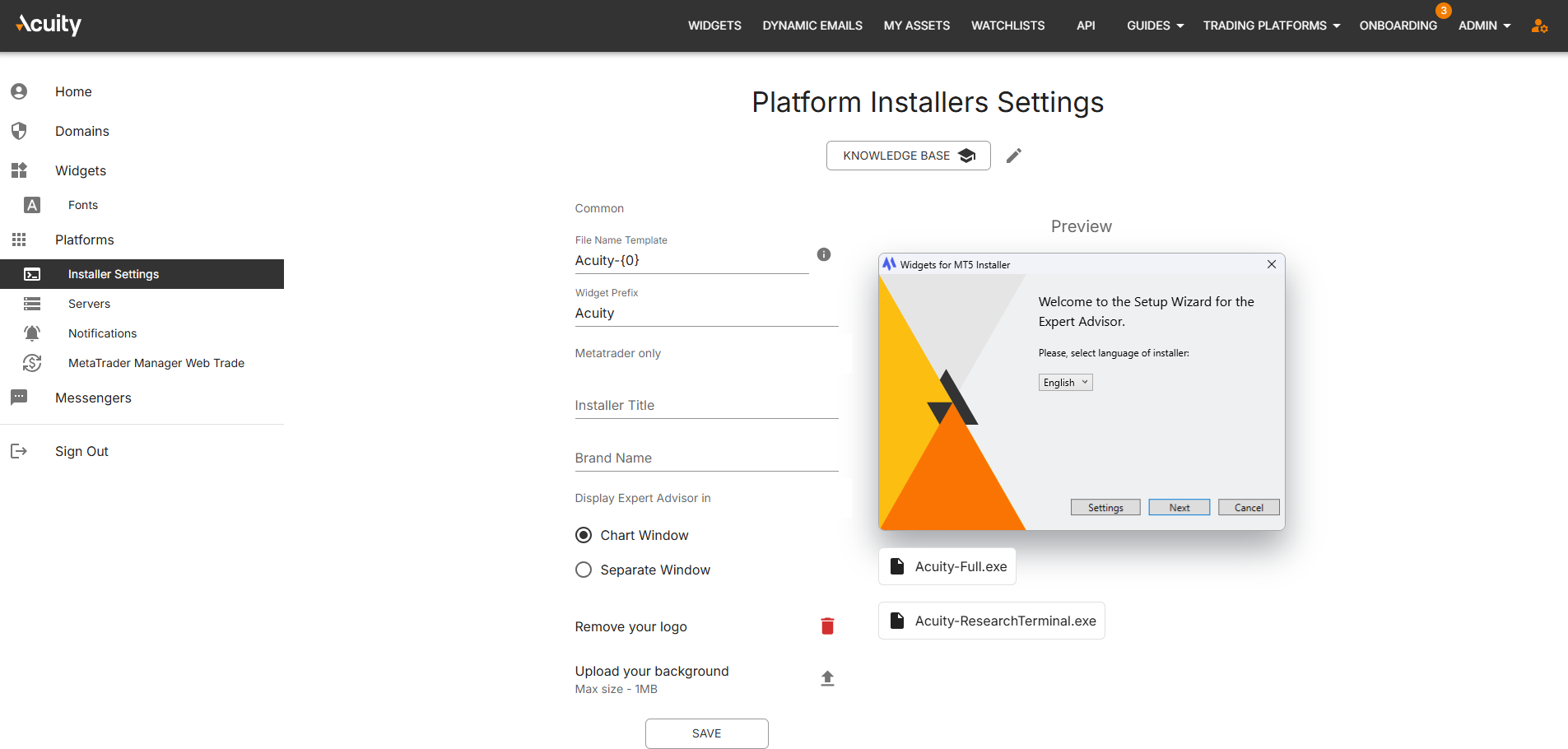
This update makes it easier for firms to control how Expert Advisors (EAs) open by bringing a previously hidden configuration into Installer Settings. Instead of relying on back-end key changes, customers can now choose the default EA display mode directly in the user-facing setup workflow.
This gives firms a simpler way to align the installer experience with the preferences their traders expect, especially in MetaTrader-led environments.
What's New
A new setting has been added to Installer Settings that allows customers to choose how an Expert Advisor opens by default.
Users can now select between:
- Chart Window
- Separate Window
The option appears within Installer Settings under the existing branding section, making it easier to find and manage as part of the broader installer configuration process.
The update also keeps the setting consistent across the platform:
- selections made in Installer Settings are reflected in Keys
- changes made in Keys are reflected back in Installer Settings
- customers no longer need technical intervention to manage this preference
This brings a previously back-office configuration into a more accessible and customer-friendly part of the platform.
Why It Matters
For traders and investors, the benefit is a more familiar and predictable platform experience. Firms can now configure how EAs open in a way that better matches established MetaTrader workflows, helping users start with the layout that feels most natural to them.
That improves the experience in practical ways:
- traders can work with their preferred EA display mode from the outset
- platform behaviour feels more consistent with native MetaTrader expectations
- configuration errors and mismatched setup preferences are less likely
- firms can support user preferences more quickly without relying on manual back-end changes
For financial services firms, this is a small but useful self-service improvement. It reduces friction in onboarding and setup, gives customer-facing teams more control over installer behaviour, and helps deliver a more polished configuration journey for broker-branded environments.
In practice, it means one less dependency on internal support teams and a smoother path to getting the preferred trading setup in front of end users.
Availability
The new EA display-mode setting is available in Installer Settings and stays synchronised with the corresponding configuration in Keys.
Firms can now manage the default open mode for Expert Advisors directly through the installer configuration workflow, without requiring a separate back-end change.